For iPhone, iPad and Apple TV
The nagging stops when the deal is written down.
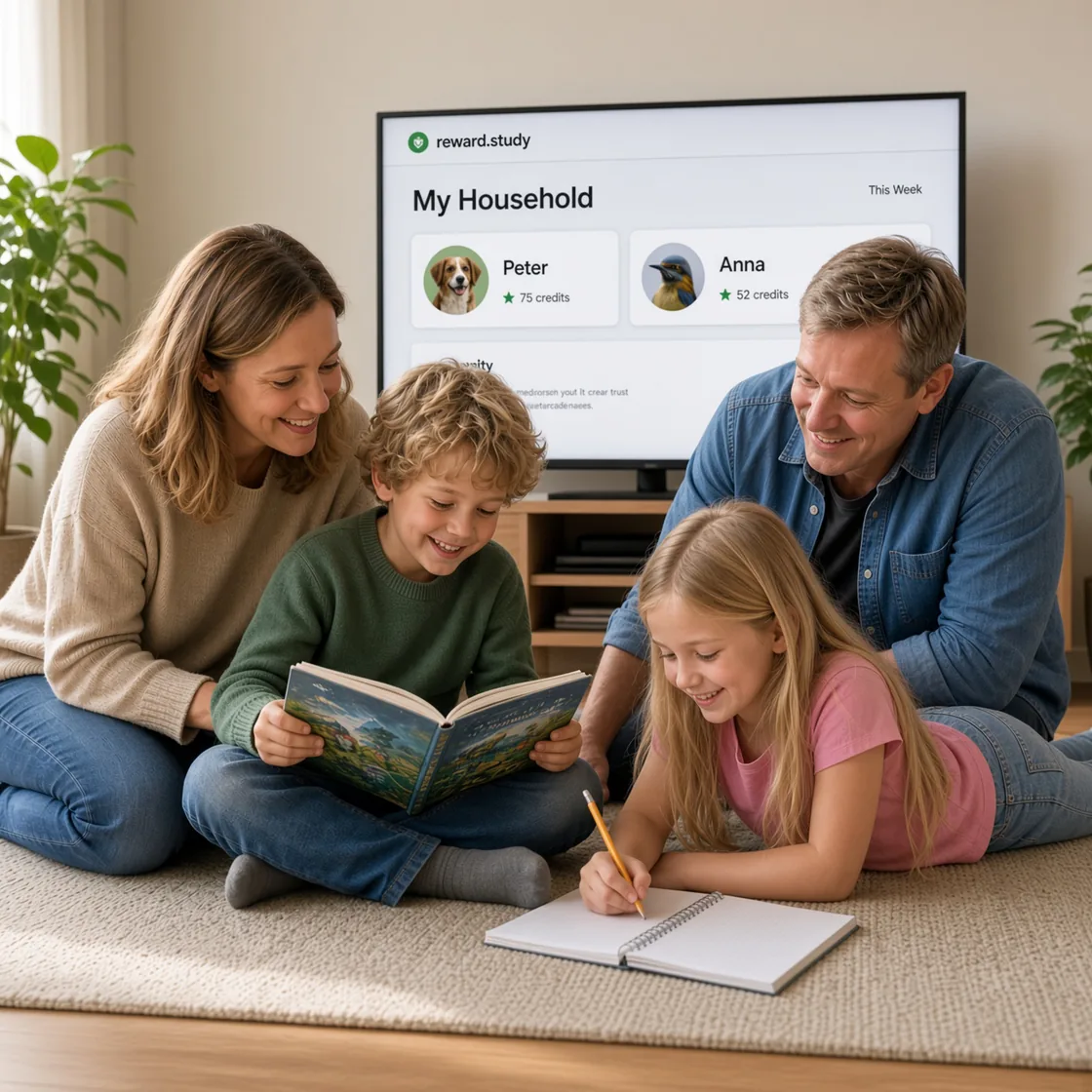
Every task carries a price in credits: your child marks it done, you approve it, and the credits land with the reason written beside them. What they earn they spend in a reward shop you priced yourself.

Free for 14 days, then $39.99 a year. Cancel before it ends and you are never charged.
- No account
- Your family's iCloud
- 12 languages
What's hard right now?
Homework is a daily fight
Homework becomes a task with a price on it, the same as any chore: your child sees it, does it, and marks it done for credits. Read how
Evenings end with "is your bag packed?"
Tomorrow's prep becomes a daily task with a streak attached, so your child has their own reason to get it done without you asking twice. Read how
Chores only happen after reminders
Every chore gets a value and a place on the list, so your child can check what is left without asking you, and you stop being the one who remembers for them. Read how
"Can I have it?" in every shop
The shop moves into the app: your child browses rewards you already priced, and asking still waits for your tap. The answer to "can I have it" is already agreed before they ask. Read how
You want control over what actually gets done
Every task waits for your approval before anything counts, and the ledger remembers why. Nothing pays out behind your back. Read how
Bedtime and mornings are a battle
Routines become streaks your child wants to keep going, so getting up and getting to bed on time is their own goal, not just your rule. Read how
Pocket money causes arguments
Credits become an allowance you both agreed on ahead of time, at a rate you set, so there is nothing left to argue about after the fact. Read how
"That's not fair" between siblings
Each child has their own ledger, their own tasks and their own balance, so one child's credits are never the reason another one argues. Read how
Four steps, and then it repeats.
You set the tasks
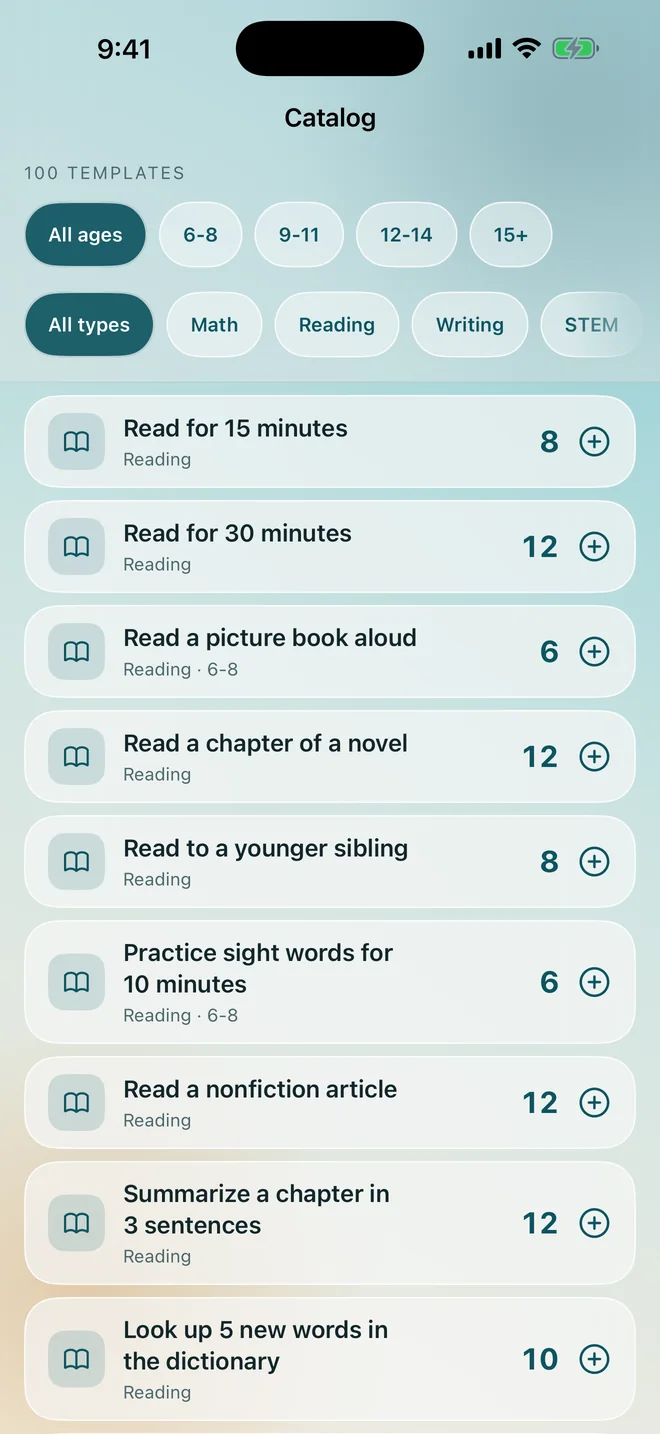
Pick from the catalog of 100 templates or write your own, and say what each one is worth in credits.
Your child marks them done
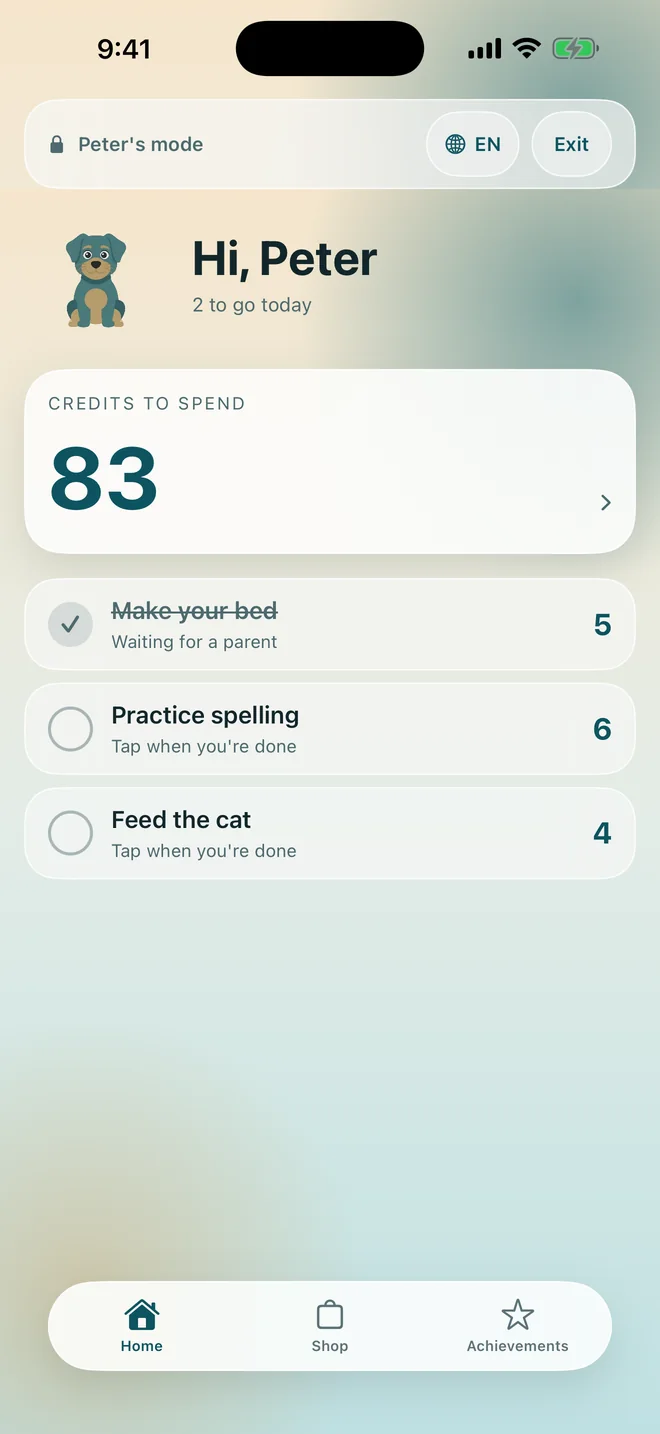
On their own device or on yours, in a mode that shows only their side of the app.
You approve
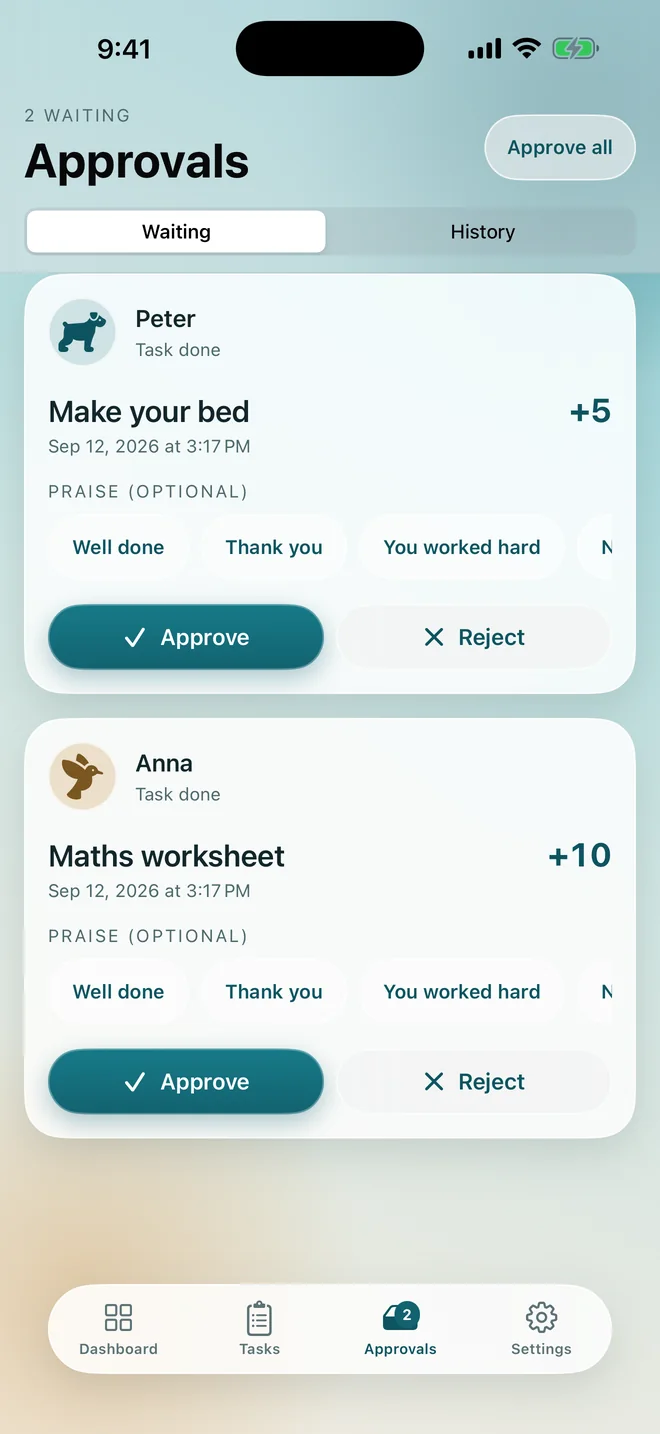
The task waits in a queue until you look at it. Sending it back costs nothing, and undoing either answer costs nothing either.
The credits land
The balance moves, and the reason it moved is written beside it in the ledger your child can read.
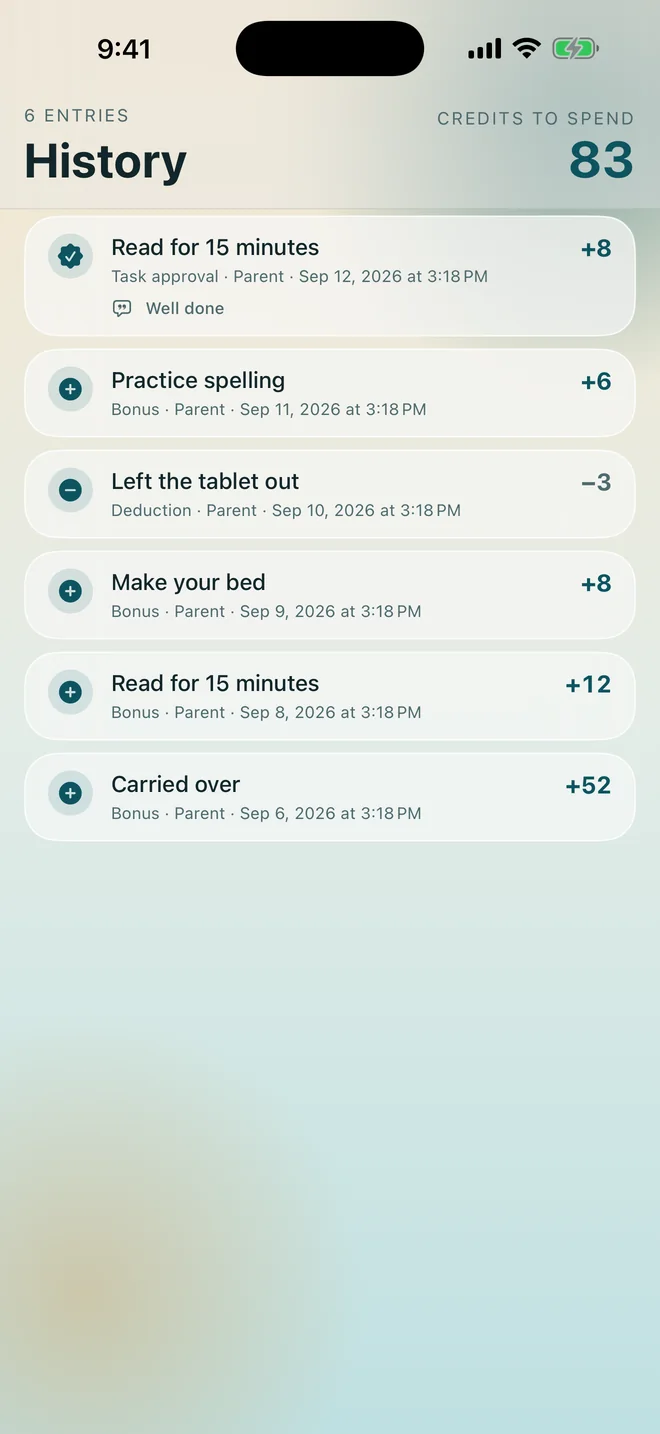
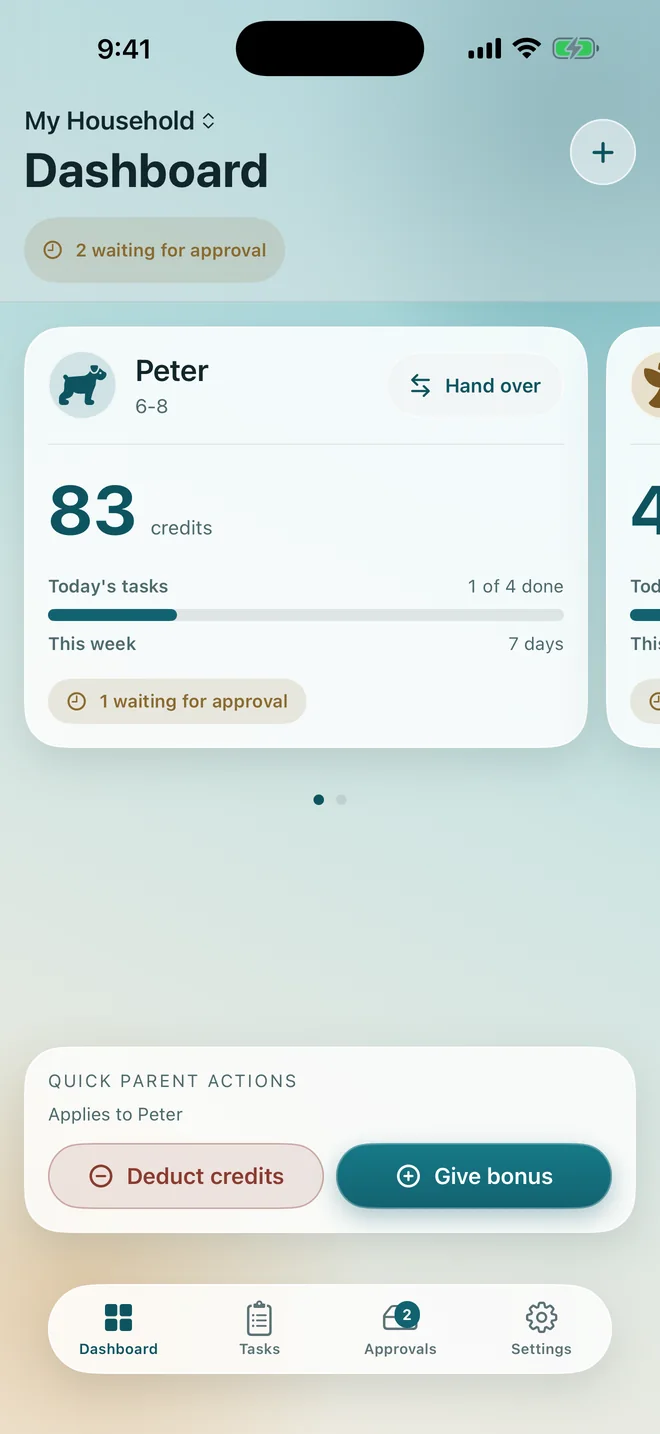
Seven steps, on the screens you will actually see.
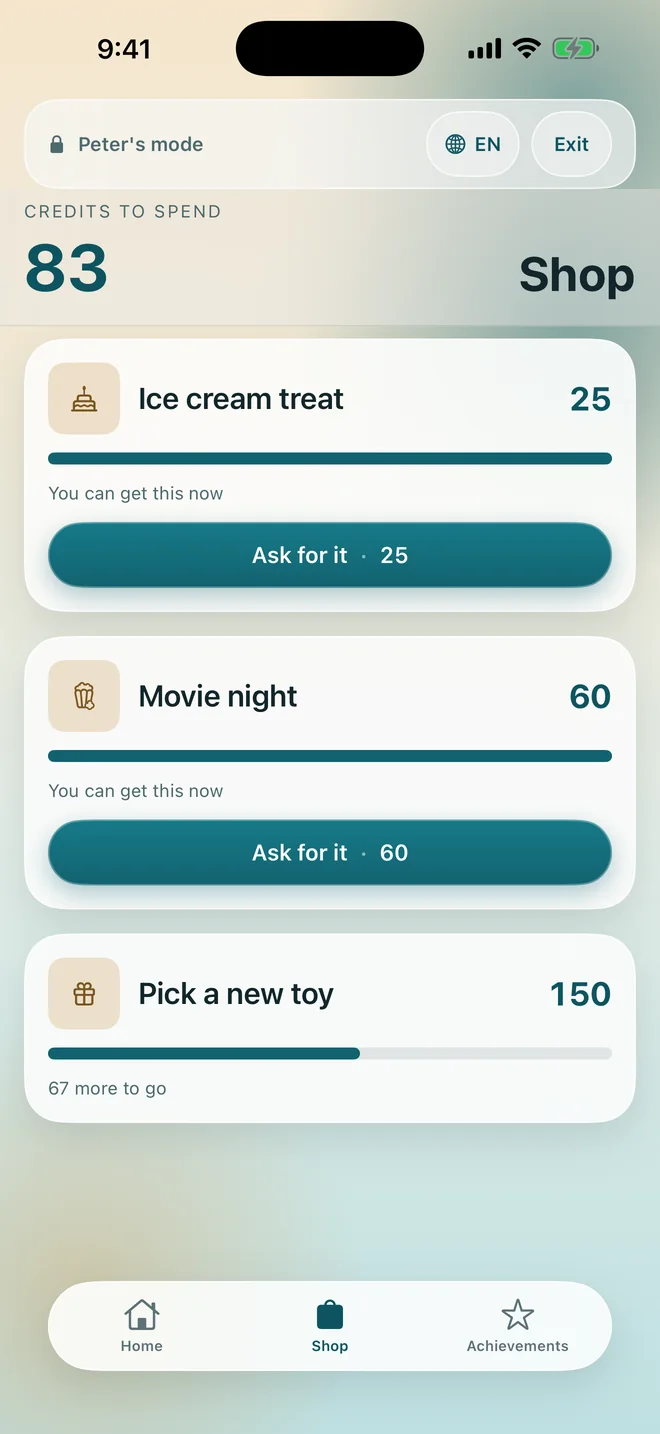
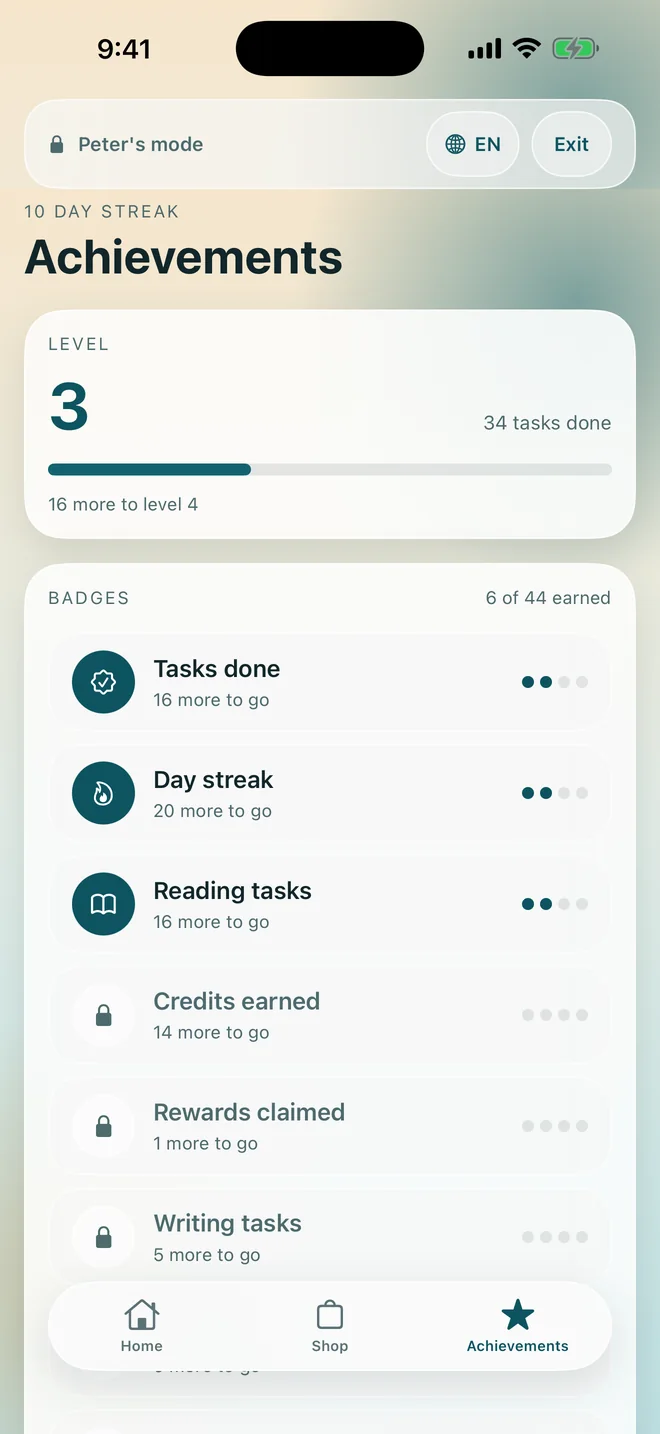
Your child checks their own progress, so you stop being the reminder.
Your child's mode shows what is left today, what a reward costs, and how close they are to it, so they check it themselves instead of asking you. Streaks count the days, levels count the tasks, and 44 badges are paced to take months rather than a weekend, so the interest does not fade in a week.
A child can mark a task done and ask for a reward. They cannot approve their own work, change what a task is worth, or edit the ledger, so the control stays with you.
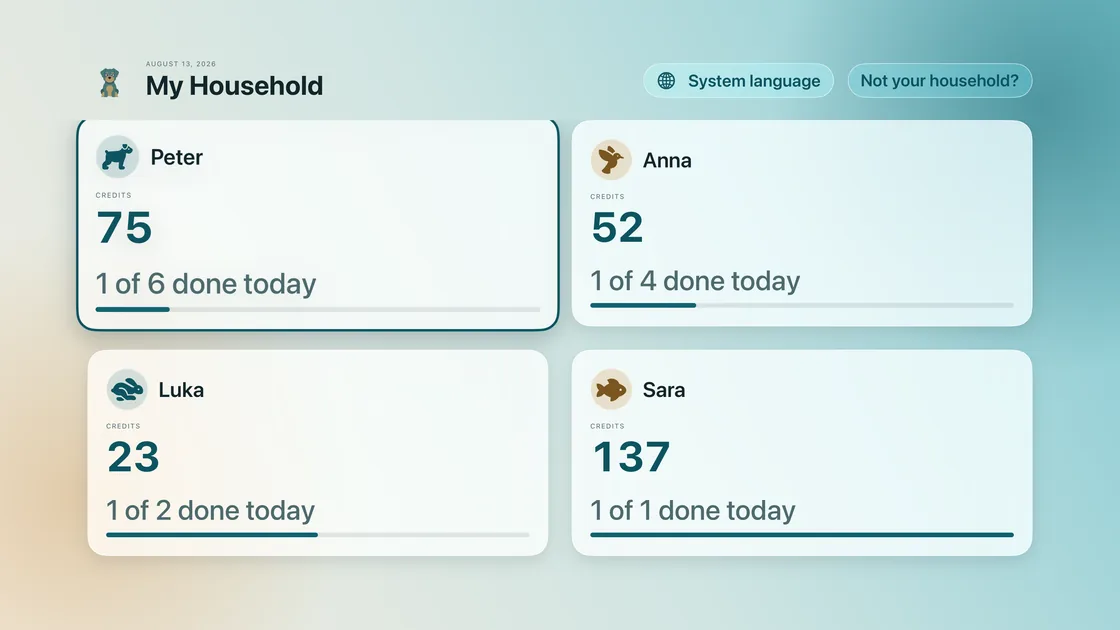
A scoreboard the whole room can see.
Balances and today's progress for every child in the household, on the television, with the full ledger and the reason on every line.
It is read only by design. The Apple TV app cannot approve anything, because a remote in a child's hand must not be able to approve their own chores. Read how
Homework becomes a task with a price on it.
Reward Study 2.0 generates practice in four subjects, and an assigned set earns credits the way a chore does. The maths is organized into packs, and the three sciences are organized the way a schoolbook is, so you can pick the exact chapter your child is being tested on. How homework becomes a task
Math
Nineteen topics in four packs: Math Basics, Fractions & Decimals, Shapes & Measures and Pre-Algebra. Each pack has three age bands, labelled by school age rather than by Easy or Hard, and a set runs 5, 10, 15 or 20 questions.
Physics
Seven chapters, from age 12
Speed and distance, weight and gravity, pressure, levers and balance, force and acceleration, work energy and power, and density. Chapter by chapter
Chemistry
Five chapters, from age 12
Counting atoms, balancing equations, relative formula mass, element symbols, and counting with a number in front of the formula. Chapter by chapter
Biology
Seven chapters, from age 8
Animal groups, the senses, parts of a plant, organs of the body, parts of a cell, how plants make food, and food chains. Chapter by chapter
Any assigned set can also leave the screen. Printing is two separate actions, with the answer key or without it, so you can mark it by hand and record the score against the same task. Worksheets, with or without answers
On a device that supports Apple Intelligence, the same problem can arrive wrapped in a short story, themed on football, trains, apples, animals, space, or anything you type. The numbers and the exact answer still come from the generator, and you read every set before they see it. How the story problems are written
2 homes, 1 child, 1 system that works in both.
Each home keeps its own tasks, its own rewards and its own balance, and neither parent can see or change what happens in the other one. No shared Apple family is required, and joining a household by invitation never takes a paid seat.
What the research actually found.
Chore charts, tokens and praise have been studied for decades. These are the findings the app is built on, each with the paper it came from. The same screen is inside the app, before anyone is asked to pay, and every study is linked from it.
Token rewards
28 classroom studies
Earning tokens for good behaviour had a strong effect across 28 classroom studies, and worked a little better for ages 6 to 15.
Soares, Harrison, Vannest & McClelland, 2016, School Psychology Review
Chores
9,971 children, followed to third grade
In a study of 9,971 children, those who did chores in kindergarten reported more confidence, better friendships and more satisfaction with life in third grade.
White, DeBoer & Scharf, 2019, Journal of Developmental & Behavioral Pediatrics
The limit of rewards
Why an approval can carry a word
Rewards can dull a child's interest in things they already love, but praise raises it. That is why every approval here can carry a word of praise.
Deci, Koestner & Ryan, 1999, Psychological Bulletin
These studies looked at the approach, not at this app.
One subscription for the whole family, or pay once.
Cancel anytime in your App Store settings. One purchase covers your whole Apple Family Sharing group. See full pricing
Answers, shortest first.
Where does our data live?
In your family's own iCloud. There is no account to create and no server of mine holding anything, which is why the App Store listing reads Data Not Collected.
Can my child use their own device?
Yes, in two ways. Kid Mode turns a borrowed device into the child's side of the app, with a banner and an exit behind Face ID, Touch ID or a PIN. Or install the app on their own device, join the same household through iCloud sharing, and there is no banner and nothing to unlock.
How does the other parent join?
By invitation, free, from Settings. They get the same household on their own device. An invited co-parent never takes a paid seat and never needs their own subscription, and a child's device joins the same way.
What happens if I cancel?
Subscriptions are managed by Apple. Nothing is deleted when you cancel. At the end of the period your tasks and rewards pause: they stay on screen and stay readable, but nobody can add or complete one. Your credits, your history and everything you created stay, and you can still award and deduct credits by hand.
What languages does it speak?
Twelve: English, Deutsch, Français, Español, Italiano, Português (Brasil), Polski, Magyar, 简体中文, 繁體中文, 日本語 and 한국어. There is a language picker inside the app, independent of the device's own language, which is what Apple TV needs.
Every answer is written by the person who builds the app, and there are more of them on the support page.
Write the deal down once, and stop repeating yourself.
Free for 14 days. No account, no ads, no tracking. Cancel before the trial ends and you are never charged.