How it works

What happens between a task and a reward.

Reward Study is one loop. You set the work and say what it is worth, your child does it and marks it done, you approve, and the credits move with the reason written beside them. This page walks through that loop on the screens you will actually see.

1

You start by saying what is hard.

The app opens by asking what you are actually dealing with at home. Homework, evenings that end with "is your bag packed?", chores that only happen after reminders, "can I have it?" in every shop, or simply wanting to see what got done.

Whatever you pick, the setup fills itself in around it. You get a first set of tasks that match the answer instead of an empty app and a blank form.

The first-run screen asking which problems apply at home, with three answers ticked
2

Every task carries a price.

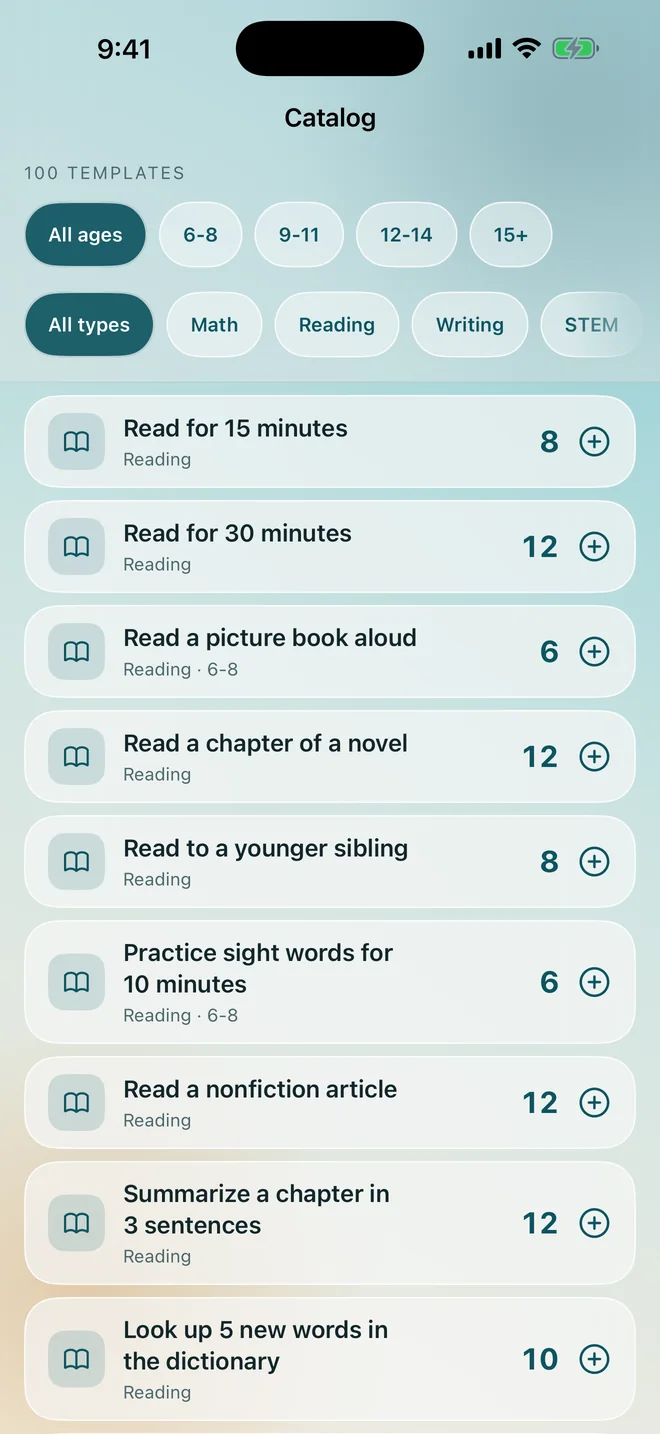
Pick from a catalog of about a hundred tasks, sorted by age band and by kind: reading, chores, school work, maths, habits. Or write your own in a few seconds.

A task says what it is worth in credits and how often it repeats. That number is the whole agreement. Once it is written down, the argument about whether tidying the room counts is over, because it says right there what it counts for.

The task catalog, filtered by age band, each task showing what it is worth in credits
3

Your child sees only their side.

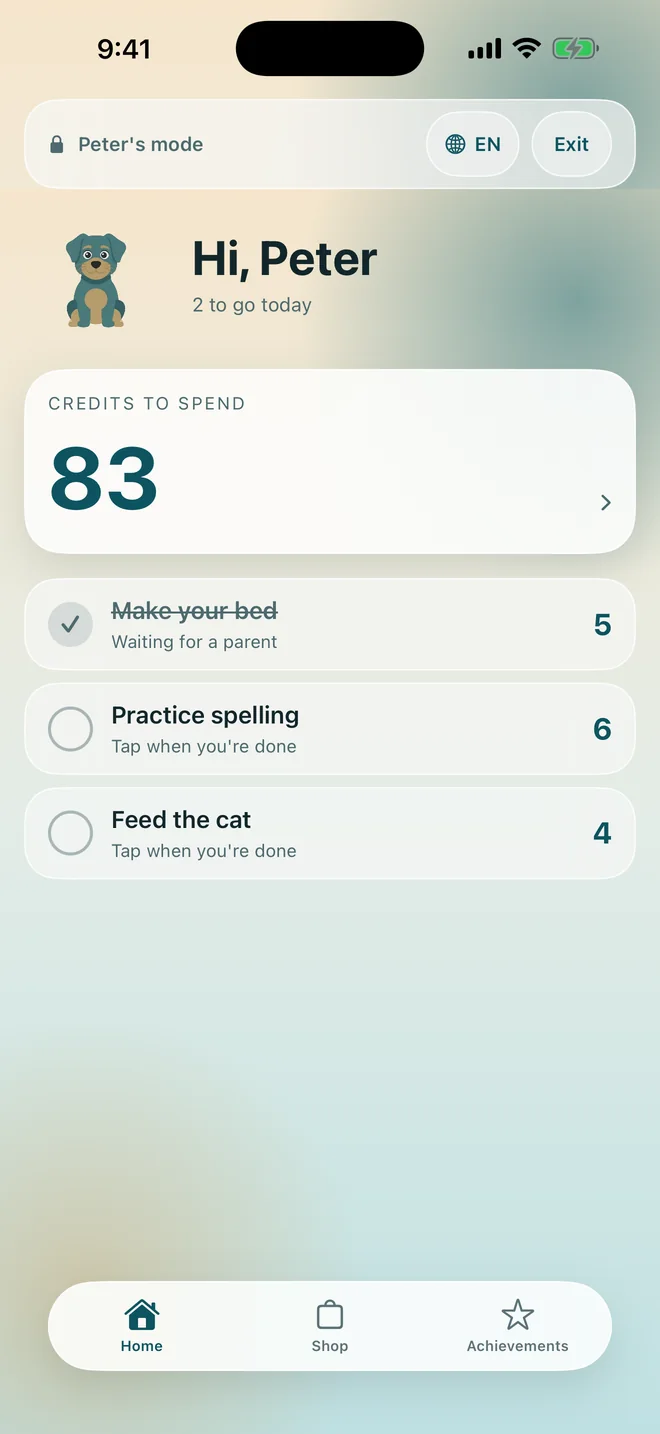
Hand over your phone, or set up their own device. Either way the app switches into a mode that shows one child their tasks, their balance and their shop, and nothing else. No settings, no other children, no way to award themselves anything.

A parent PIN, Face ID or Touch ID brings you back. On their own device the mode is where the app stays.

The child's home screen showing today's tasks and the credits they have to spend
4

Nothing counts until you approve it.

When your child marks a task done, it does not pay out. It joins a queue and waits for you. You approve it in a tap, or send it back if the room is not actually tidy, which costs the child nothing and simply says the work is not finished yet.

This one step is what makes the balance believable to both sides. A number nobody can quietly inflate is a number a child will argue about far less.

As you approve, you can pick a word of praise to go with it. Your child reads it in their own language, beside the credits. The research behind that is on the home page.

The approvals queue with two tasks waiting, each showing the child, the task and what it pays
5

The credits land, and the reason lands with them.

Every movement is one line in a ledger both of you can read: earned, given as a bonus, taken off, or spent. Each line records which of those it was, who did it and when.

Nothing is edited quietly and nothing is hidden from the child. If you disagree about a balance three weeks later, you scroll instead of remembering. The whole ledger exports as a CSV file when you want it outside the app.

The history screen listing ledger entries, each with the reason it moved
6

They spend them in the shop.

Rewards are yours to write: an hour of screen time, a trip to the pool, a new book, a toy they have been asking for since spring. Each one costs a number of credits that you set.

"Can I have it?" turns into a price and a plan. Your child can see how far off it is, and saving up for the expensive thing becomes their idea rather than your refusal.

The reward shop from the child's side, each reward showing its price in credits
7

Streaks and levels keep it going past week two.

Daily tasks build a streak, credits earned build a level, and badges arrive for the things worth marking. They are paced in weeks and months rather than minutes, because the point is a habit and not a slot machine.

None of it is a second currency. The credits stay the only thing that buys anything.

The achievements screen with the current level, the streak and the badges earned

Maths

Practice that pays like any other task.

The app can generate maths practice for the age band you choose, and on devices that support Apple Intelligence it writes word problems on the device itself, using the child's own reward as the subject of the sum.

Nothing is sent anywhere to make them. A correct set pays credits like any other task, so twenty minutes of maths sits in the same list as emptying the dishwasher, at a price you both agreed.

The maths generator with topic, difficulty and the option to write word problems on the device

On the television

The scoreboard the room can see.

The Apple TV app shows every child's balance and how today is going, in one glance from the sofa. It is the same household data, arriving through your own iCloud.

It is read only by design. The television cannot approve anything, because a remote in a child's hand must not sign off that child's chores.

The Apple TV app showing each child's balance and progress for today

The parent side

Four screens, and that is the whole app.

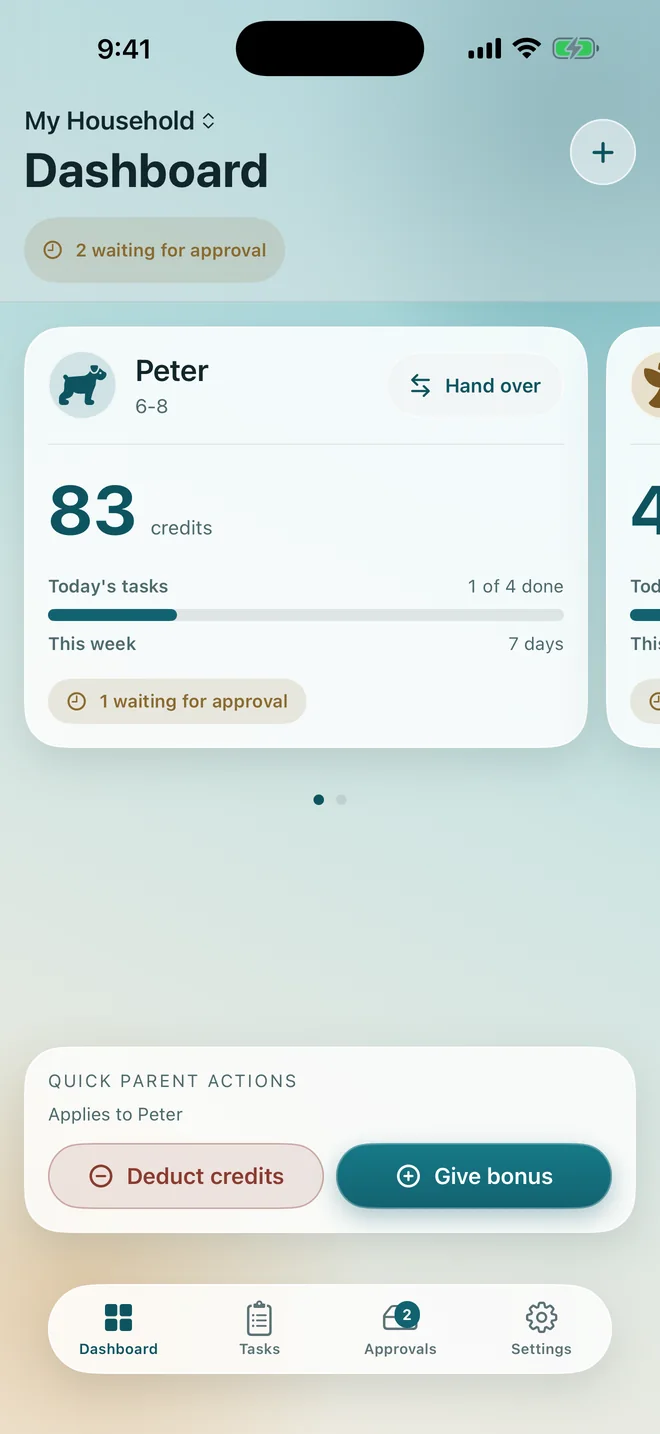
The dashboard for where each child stands, the task list for what is set, the approvals queue for what is waiting, and settings for everything else. Nothing is buried, and every screen is the same on a phone and on an iPad.

The parent dashboard with each child's balance and today's progress
The task list grouped by child, each task showing what it pays
The approvals queue waiting for a parent
Settings, with the household, the parent lock and the store

Dashboard, tasks, approvals and settings, shown from the top down.

The rest

Four things people ask before they start.

Where does our data live

In your family's own iCloud. There is no account to create and no server of mine holding anything, which is why the App Store listing reads Data Not Collected.

How does the other parent join

By invitation, free, from Settings. They get the same household on their own device. A child's device joins the same way.

What about two homes

Separated parents each run their own household and the child has a place in both, with nothing crossing between them. The co-parents page explains that setup.

What does it cost

14 days free, then $39.99 a year or $2.99 a week for the whole family. The price in full.

Write the deal down once, and stop repeating yourself.

Download on the App Store

iPhone, iPad and Apple TV. Requires iOS 17 or later.
Free for 14 days, then $39.99 a year.